Transform Screenshot Chaos into Organized Bliss
MacZen helps you capture, organize, and browse screenshots and recordings in one clean desktop workflow.
Free forever • No credit card required • macOS 12.0 or later
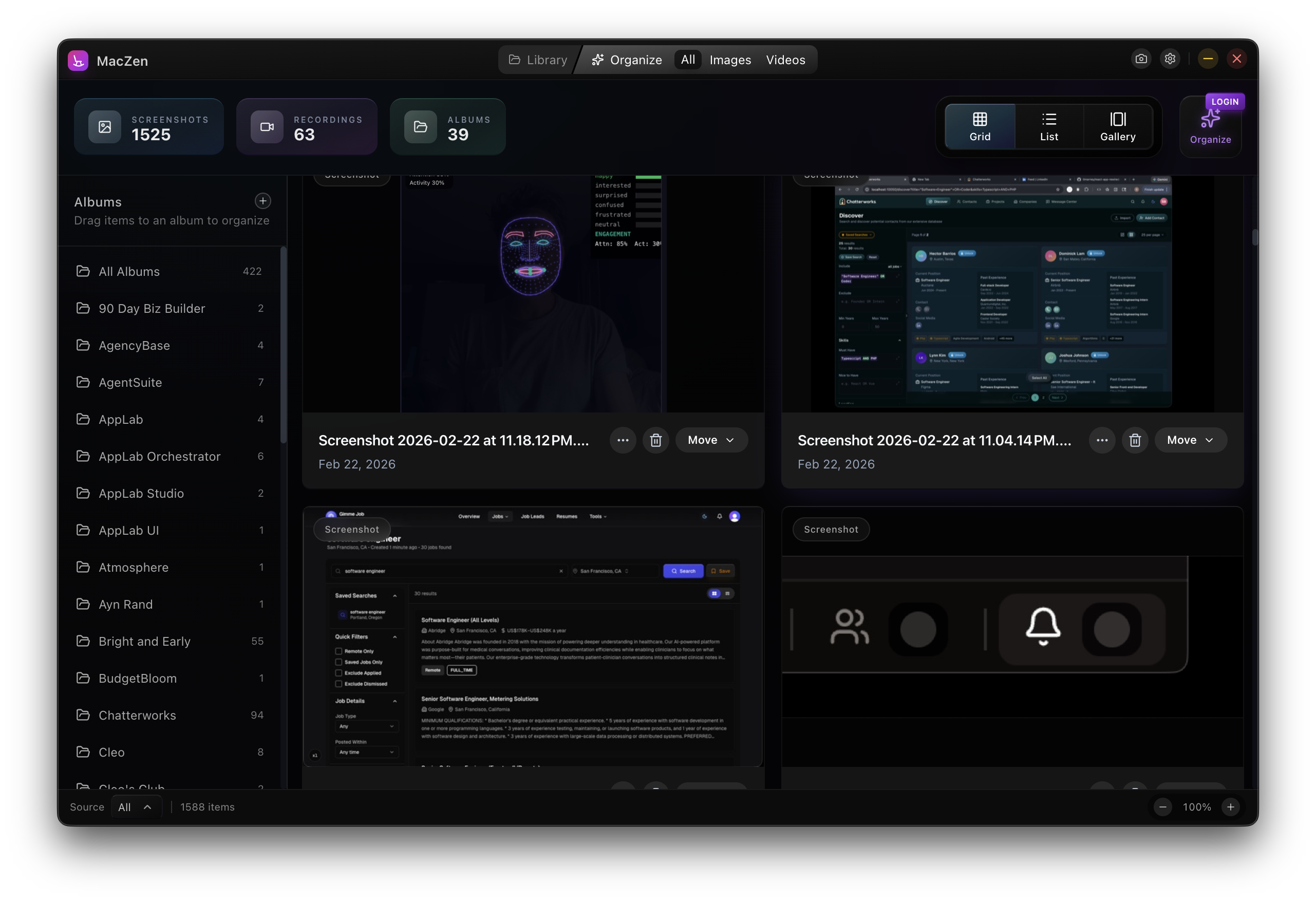
Everything you need to stay organized
Powerful features designed to make screenshot management effortless
Guided Organization
Use organize workflows to sort screenshots and recordings into albums with less manual work.
Fast Filtering
Filter by source, media type, and recency to find what you need quickly.
Smart Organization
Automatic folder creation and management keeps everything perfectly organized.
How MacZen Works
Three simple steps to organized screenshot bliss
Take Screenshots
Continue taking screenshots as you normally would. MacZen monitors your screenshot folder automatically.
Organize in Seconds
Review recent media, create albums, and move items where they belong in a few clicks.
Browse Instantly
Use grid, list, and gallery views to quickly revisit your organized captures.
Loved by professionals worldwide
MacZen has completely transformed how I organize design inspiration. I can find any screenshot in seconds!
The organization workflow is smooth and fast. I can keep thousands of captures tidy without friction.
I take hundreds of screenshots daily. MacZen saves me hours every week. Absolutely essential tool!
Simple, transparent pricing
Choose the plan that's right for you
Free
Perfect for getting started
- Screenshot + recording capture
- Desktop + Apple Photos sources
- Drag-and-drop album workflow
- Grid/list/gallery with fast previews
Pro
Best value for daily workflows
- Everything in Pro Monthly
- AI-powered organization
- Smarter album suggestions
- Priority product updates
- Save $29 vs monthly
Frequently asked questions
Is my data private and secure?
Yes. MacZen runs locally on your Mac and works directly with your files and Photos integration.
What macOS versions are supported?
MacZen supports macOS 12.0 (Monterey) and later.
Can I try MacZen before purchasing?
Yes. You can use the app for free, then upgrade to Pro when you need advanced organization features.
How does organization work?
MacZen gives you fast organization controls across desktop and Apple Photos sources so you can sort media into albums quickly.
Can I export my screenshots?
Yes! You can export screenshots individually or in bulk, with all metadata and organization preserved.
Ready to organize your screenshots?
Join thousands of Mac users who have transformed their screenshot workflow with MacZen.